LongHorn Steakhouse®
- 4.0
- Rating
- 500.00K
- Installs
- Free
- Price

 Analysis by App-foxy
I find restaurant apps most useful when they remove a small but annoying task from a busy day. LongHorn Steakhouse® is built around that idea: I can look through the menu, arrange an order for pickup, join a restaurant wait list, and handle mobile payment from one place. It is a free Food & Drink app from Darden Restaurants, Inc., and its focus is refreshingly narrow rather than trying to become a general dining platform.
After spending time with it, my impression is that it works best as a companion for people who already choose LongHorn Steakhouse and want a smoother visit. It is not a restaurant discovery tool, a recipe app, or a broad delivery marketplace. That distinction matters. If I am deciding between several nearby restaurants, a map or delivery service is more useful. If I already know I want a steakhouse meal, however, the app puts the most relevant actions close together.
How the app feels during a normal visit
I find the app most useful when I decide what kind of visit I’m having before I start tapping around. A quick menu check can help me choose between dining in and picking up, while the wait-list and Mobile Pay options matter at different points in the visit. Thinking through that sequence is a simple way to avoid rushing into the wrong task when plans are still taking shape.
You May Also Like

 Blood Strike: 2.5 Anniversary
Blood Strike’s Loadouts Turn Every Drop Into a Tactical Gamble
A close look at Blood Strike’s custom loadouts: how fast access to signature weapons reshapes its battle royale rhythm, rewards preparation, and narrows the gap between fights.

 Pandora - Music & Podcasts
Pandora’s Music Is Easy to Start, but Harder to Recover
Pandora’s strength is its low-effort path from a seed to a station. Its weak spot is how much confidence it asks you to place in connection, setup, and quiet recovery.

 8 Ball Pool
 Is Built on Rivalries, Rematches, and Routine
A close look at the rivalries, rematches, shared routines, and unanswered safety questions that turn a quick pool match into a persistent mobile community.

 Samsung Music
’s Quiet Strength Is Playing What You Already Own
Its reach comes less from spectacle than from dependable access to a personal library. That simplicity is both the app’s strongest retention engine and its ceiling.

 AccuWeather: Weather Radar
AccuWeather Review: A Quick, Clear Forecast for Everyday Decisions
For everyday plans, the best forecast is the one you can understand quickly. AccuWeather makes rain timing, radar, and local conditions easy to act on, with a few trade-offs.

 Hill Climb Racing
Why Hill Climb Racing Still Turns Crashes Into One More Run
A tiny car, a bumpy hill and one more upgrade: Hill Climb Racing keeps resurfacing because its simple chaos makes every near-miss feel personal.
More From Our News Desk
View All News


Fast enough for the moments that matter
The main advantage is that the app is organized around practical decisions. I do not need to browse a large collection of unrelated restaurants before reaching the LongHorn menu. The restaurant-specific design makes the path from opening the app to choosing a meal feel more direct than using a broad food marketplace, especially when I already know the location I want.
Menu browsing is the kind of task where perceived speed matters more than elaborate presentation. I want to check what is available, compare a few choices, and decide whether pickup makes sense. A focused interface helps because there are fewer competing screens and fewer reasons to lose my place. In my experience, this is also the point where the app feels most natural for a quick decision before leaving work or heading home.
The wait-list option changes the experience in a more meaningful way. Instead of treating the app as a digital menu, it gives me a way to begin the visit before arriving. That is particularly useful when I am coordinating with other people and do not want the first person to spend the entire trip standing at the host stand. I still need to pay attention to the restaurant and timing, but starting the process from the phone can make the outing feel better planned.
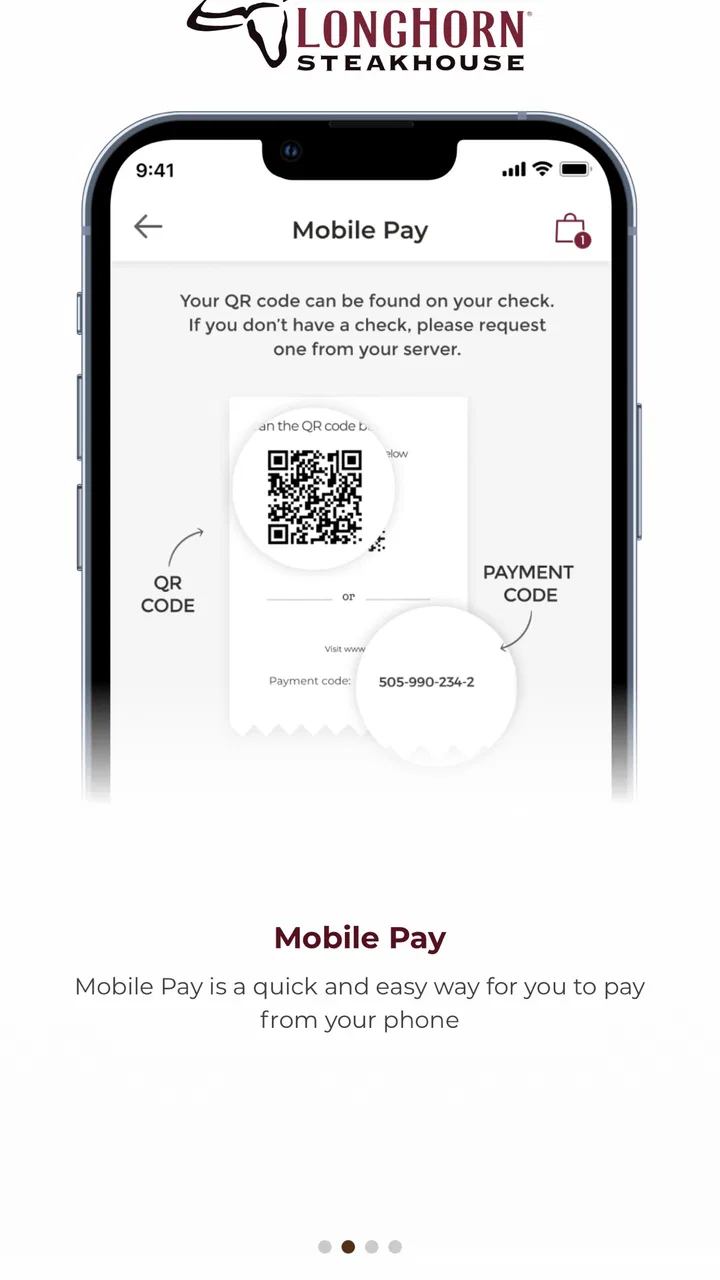
Mobile Pay is another feature that makes sense at the end of a meal. When I am ready to leave, reducing the number of steps between asking for the check and completing payment is genuinely convenient. It is not a reason for everyone to install the app on its own, but for regular guests it can turn the app from an occasional menu viewer into something with a useful role before, during, and after the visit.
What happens when the app is used heavily
The busiest use case is not necessarily a long browsing session. It is the combination of checking the menu, selecting a restaurant, arranging To Go, and then trying to complete the plan while I am already in a hurry. That is where I judge the app less by visual polish and more by whether it keeps the order of tasks clear.
I recommend opening the app before walking into a crowded parking lot or waiting until the last minute to decide what to order. A few minutes of preparation gives me time to review the menu and confirm that the selected restaurant is the one I actually intend to use. This is a small habit, but it reduces the chance of rushing through a location choice or needing to restart after changing my mind.
For a family meal, the app is most helpful when one person takes responsibility for the digital part. I can review the menu while others decide, then use the To Go flow once the group has agreed. That is less chaotic than passing a phone around while everyone adds requests. The trade-off is that the app does not replace communication: I still need to double-check the order with the group, particularly when several people want different meals.
Another realistic scenario is a late change of plan. I might intend to dine in, discover that the wait is inconvenient, and switch to a pickup order instead. Having both the wait-list and To Go functions in the same restaurant app is useful because I do not need to move to a completely different service just to change the type of visit. I would still check the final details carefully before submitting anything, since convenience can encourage me to move too quickly.
Reliability and recovery when plans change
A restaurant app earns trust when it helps me recover from ordinary mistakes. The most important recovery habit is to pause after choosing the restaurant and review the complete plan before finalizing it. Location selection is easy to overlook when I am focused on the food, and a careful confirmation is more valuable than assuming the app will infer what I meant.
The app’s usefulness also depends on the situation at the restaurant. Joining a wait list from a phone can save effort, but it does not make a busy dining room predictable. I treat the feature as a way to get into the restaurant’s process earlier, not as a guarantee of an immediate table. That expectation keeps the tool useful without making promises it cannot reasonably keep.
For To Go orders, I prefer using the app when I have enough time to read the order summary calmly. If I lose connection or become distracted, I would rather reopen the app and verify the status than assume the order went through. This is a general but important mobile workflow: a convenient button is not the same as confirmation, and checking the result prevents an avoidable second order or an awkward pickup conversation.
Mobile Pay has a similar strength and limitation. It can make payment feel more streamlined, but I would not rely on any payment feature while my phone is nearly out of power or when I cannot comfortably access my account details. Keeping a backup payment method available is sensible for any restaurant payment app. That is not a criticism unique to LongHorn; it is simply the difference between a helpful shortcut and a complete replacement for ordinary planning.
Device requirements and everyday practicality
The current version is 6.6.0, and the app requires iOS 11 or later. That is a relevant consideration for anyone using an older Apple device. On a compatible phone, the app is a fairly focused installation rather than something I would expect to keep open all day. Its purpose is occasional restaurant planning, so I see the best value in opening it when I need the menu, a To Go order, the wait list, or Mobile Pay.
Because the app is centered on a single restaurant brand, its resource demands feel easier to justify than those of a large service trying to cover every restaurant, delivery option, and promotion. I would not install it expecting a broad dining database. I would install it because the LongHorn-specific actions are gathered in one place. That narrower scope also means I am less likely to use it every day unless LongHorn is already part of my routine.
The age rating is Everyone, which fits the app’s practical food-ordering purpose. The price is free, so the decision is mainly about relevance and storage rather than an upfront purchase. The app has been available since September 12, 2018, and its continued presence suggests that it is intended as an established companion for the brand rather than a one-time promotional experiment.
People on older phones should pay attention to the operating-system requirement before planning around the app. Someone who cannot update to iOS 11 or later may be better served by using the restaurant’s other available channels rather than depending on this installation. I also would not choose it as my only option for a large group if some members need a different restaurant, because the single-brand focus becomes a limitation in that situation.
Who gets the most from it
LongHorn Steakhouse® is a good fit for regular guests who want a direct route to the menu and restaurant actions. I especially see value for people who often order To Go, prefer joining a wait list before arriving, or like the idea of completing payment from a phone. The app is also practical for someone who dislikes juggling a restaurant website, a separate wait-list process, and a payment method during the same outing.
It is less compelling for someone who visits many different chains and wants one app to compare them all. A general food marketplace can be better for discovering nearby alternatives, comparing delivery choices, or keeping several restaurants in one account. The LongHorn app wins when brand loyalty matters more than breadth.
I would also skip it if I only visit LongHorn once in a great while and do not care about mobile ordering or payment. Installing a dedicated restaurant app for a single menu check may not be worth the extra space or setup. In that case, the simplest available browsing option is likely enough. The app’s value grows with repeated use, not with the novelty of opening it once.
For households, the best workflow is to decide whether the visit is dine-in or To Go before opening the ordering path. If it is dine-in, the wait-list feature is the natural starting point. If it is pickup, I would go straight to the menu and review the order before completing it. Separating those intentions avoids the most common kind of digital friction: starting in one flow and then backing out because the plan changed.
How it compares with usual food apps
Compared with a broad delivery service, this app feels more specialized and less cluttered. A delivery marketplace may offer restaurant comparisons and a wider selection, while LongHorn’s app keeps attention on its own menu and visit options. That makes it a poor substitute for discovering food but a sensible choice when I have already made the restaurant decision.
Compared with using a restaurant website in a mobile browser, a dedicated app can feel more convenient for repeat visits because the relevant actions are designed for phone use. The benefit is strongest when I return for the same tasks rather than when I only want to read a menu once. The cost is that I am adding another app to my device for a single brand, so the trade-off depends on how often I dine there.
Compared with handling payment in the traditional way, Mobile Pay offers a potentially quicker finish, but it also asks me to be comfortable using my phone at the table. Some diners will prefer that control; others will find the conventional process simpler. I see Mobile Pay as an option that improves convenience for the right user, not as a feature everyone needs to adopt.
Reach, maturity, and overall confidence
The app has an average rating of 4.1 from around eight thousand ratings, with roughly 2.8 thousand written reviews. It has passed 500 thousand installs, which gives me the impression of a reasonably established restaurant companion rather than an obscure utility. Those figures do not tell me that every experience will be smooth, but they do show that the app has attracted a substantial audience.
I pay more attention to how the app fits a real visit than to popularity alone. Its strongest quality is focus: the menu, To Go ordering, wait-list access, and Mobile Pay all support the same restaurant trip. That coherence matters because I can use it at different stages instead of opening it for one isolated feature and then forgetting it exists.
The main weakness is the same focus that makes it useful. It cannot help me compare LongHorn with other restaurants, and it does not become more valuable simply because I spend more time browsing. If my needs are broader than this chain, a general food service will be a better everyday tool. If my needs are specifically tied to LongHorn, the limited scope feels intentional rather than disappointing.
My final performance verdict
My overall view is positive, with realistic expectations. The app seems designed for short, purposeful sessions rather than constant use, and that is exactly how I would use it. I would open it before a planned meal, prepare a To Go order without rushing, join the wait list when dining in, or use Mobile Pay when I want a phone-based checkout option.
The best reason to install it is not the menu alone; it is the way several parts of a LongHorn visit are brought together. That combination can save time and reduce small decisions, especially for repeat customers. The app is free, rated for Everyone, and maintained by Darden Restaurants, Inc., so it is an easy recommendation for compatible iPhone users who regularly choose this restaurant.
I would not describe it as essential for every diner. Occasional visitors, people using older unsupported devices, and anyone looking for restaurant comparison or broad delivery coverage may be happier with a browser or general food app. For everyone else, particularly someone who wants a more organized path from menu browsing to pickup, waiting, or payment, LongHorn Steakhouse® is a practical and focused addition to a restaurant routine.
FAQs for LongHorn Steakhouse®
01What features does the LongHorn Steakhouse® app offer?
The LongHorn Steakhouse® app provides a range of features designed to enhance your dining experience. Users can browse the full menu, check out nutritional information, and even make reservations. Additionally, the app offers access to exclusive promotions and the ability to join the waitlist remotely, making your visit more convenient.
02Is the LongHorn Steakhouse® app free to download and use?
Yes, the LongHorn Steakhouse® app is completely free to download and use. It is available on both Android and iOS platforms. While the app itself is free, keep in mind that any purchases made through the app, such as ordering food, will incur standard charges.
03Can I order food for delivery or takeout through the app?
Absolutely! The LongHorn Steakhouse® app allows you to easily place orders for both delivery and takeout. You can customize your order, choose your preferred pickup or delivery time, and track your order status, all directly through the app for a seamless dining experience.
04Does the LongHorn Steakhouse® app offer any loyalty rewards?
Yes, the app includes a loyalty program that rewards frequent diners. By signing up, users can earn points on qualifying purchases, which can later be redeemed for discounts or special offers. This is a great way to save money if you dine at LongHorn Steakhouse® regularly.
05How secure is my personal information on the LongHorn Steakhouse® app?
The LongHorn Steakhouse® app takes user privacy and data security seriously. It uses encryption and secure servers to protect your personal and payment information. Always ensure that you download the app from official app stores to avoid any security risks.
Pros
- User-friendly interface for easy navigation.
- Extensive menu with detailed descriptions.
- Option to find nearby restaurants quickly.
- Easy access to special promotions and offers.
- Convenient reservation and order tracking.
Cons
- Limited customization for dietary preferences.
- Occasional app crashes on older devices.
- Requires internet for most features.
- Lacks integration with some payment apps.
- Push notifications can be overwhelming.

LongHorn Steakhouse®
Gallery